





Tower Building: Precision Skyscraper Construction
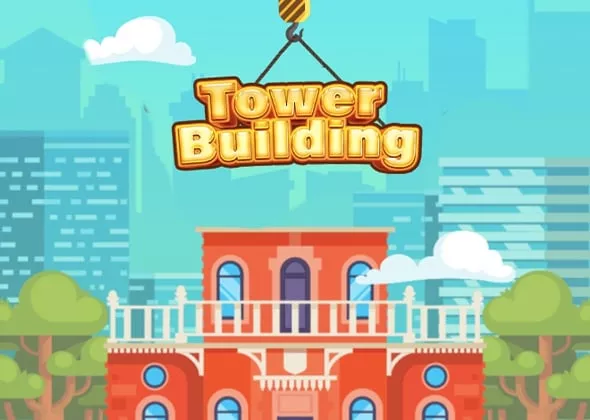
Tower Building is a charming, hyper-addictive timing and balance arcade game. As a master city architect, your goal is to construct towering residential skyscrapers by dropping prefabricated apartment blocks from a swaying construction crane.
Timing is everything: the crane cable sways back and forth across the skyline. Click or tap to release the block, aiming to land it precisely centered on top of the previous floor. Perfect alignments earn combo bonuses, soothe building sway, and award extra golden coins.
Misaligned blocks will cause your skyscraper to wobble and sway dangerously in high-altitude winds, making each subsequent floor drop even more nerve-wracking as your tower pierces the clouds.
How to play Tower Building
- Click the mouse, tap the screen, or press Spacebar to release the swinging floor block from the crane.
- Time your drop so the falling floor lands squarely centered on top of the floor below.
- Chain consecutive "Perfect" drops to increase population bonuses and stabilize your building.
- Build your tower as high as possible before placing three misaligned floors that cause the building to tumble.
Tips for winning and high scores
- Drop on the return swing: wait for the crane to complete its pendulum arc and drop right as it glides smoothly over the center.
- Combo multipliers: three consecutive perfect drops lock the building foundation, eliminating sway for your next placement.
- Watch the floor width: placing a block off-center causes the overlapping overhang to shear off, making the target narrower.
- Keep your eyes on the top roofline of the building rather than the crane hook to judge your release point.
Technical Overview & Chromebook Performance
Tower Building combines clean 2D physics simulation—modeling gravity, swing arcs, and momentum transfer—with responsive HTML5 Canvas rendering. Because the physics calculations run natively in modern JavaScript without heavy 3D textures, the game maintains crisp 60 FPS frame rates and low battery and memory usage on school Chromebooks and laptops.
Frequently asked questions
Is Tower Building free to play?
Yes, Tower Building is 100% free to play directly in your web browser on Blooket1 with no downloads, plugins, or sign-ups required.
Does Tower Building run well on school Chromebooks?
Yes! It uses hardware-accelerated HTML5 and WebGL rendering designed to run smoothly at 60 FPS on managed school Chromebooks, Windows laptops, MacBooks, and tablets.
Is my game progress saved automatically?
Yes, your high scores, unlocked levels, and settings are saved automatically in your browser's local storage so you can pick up right where you left off.
How do I play if my school blocks this page?
Click the Stealth mode button in the top navigation bar to disguise your browser tab as Google Docs, Google Drive, or Classroom, launch Tower Building inside an about:blank tab, or switch to one of our official alternate links like blooket1.pages.dev or educational.blooket1.com. You can also check our Guides & Tier Lists for more tips.