



Cut the Rope: Om Nom's Physics Confectionery Quest
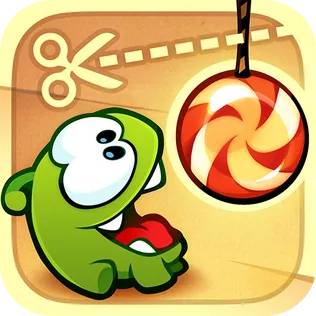
Cut the Rope is ZeptoLab's beloved multi-award-winning physics puzzle game starring Om Nom, the adorable green monster with an insatiable sweet tooth. A mysterious package has arrived at your door, and inside is a little monster who needs your help getting his favorite candy!
Using intuitive swiping mechanics, players slice swinging ropes with precise timing to swing candy across levels. Navigate interactive physics contraptions—including floating bubbles that lift candy upward, air cushions, portals, spiky obstacles, and spiders trying to steal the sweet.
Collect up to three golden stars in each stage by timing your rope cuts and pendulum swings with pinpoint accuracy, unlocking charming new box themes and challenging puzzle mechanics.
How to play Cut the Rope
- Click and drag your mouse (or swipe on touchscreen) across ropes to slice them.
- Use the pendulum physics of swinging ropes to fling the candy into golden stars and toward Om Nom's mouth.
- Click air cushions to blow gusts of wind, and tap bubbles to pop them when the candy reaches the desired height.
- Deliver the candy safely into Om Nom's open mouth to complete the level.
Tips for winning and high scores
- Study the level before making your first cut: plan the order of rope releases to ensure the candy swings into all 3 stars.
- Use gravity and momentum: releasing a rope at the highest point of a swing launches the candy into high parabolic arcs.
- Keep candy moving to prevent sneaky spiders from crawling down ropes and eating Om Nom's treat.
- Pop bubbles right as the candy floats over Om Nom's mouth to let gravity drop it cleanly into his belly.
Technical Overview & Chromebook Performance
Cut The Rope combines clean 2D physics simulation—modeling gravity, swing arcs, and momentum transfer—with responsive HTML5 Canvas rendering. Because the physics calculations run natively in modern JavaScript without heavy 3D textures, the game maintains crisp 60 FPS frame rates and low battery and memory usage on school Chromebooks and laptops.
Frequently asked questions
Is Cut The Rope free to play?
Yes, Cut The Rope is 100% free to play directly in your web browser on Blooket1 with no downloads, plugins, or sign-ups required.
Does Cut The Rope run well on school Chromebooks?
Yes! It uses hardware-accelerated HTML5 and WebGL rendering designed to run smoothly at 60 FPS on managed school Chromebooks, Windows laptops, MacBooks, and tablets.
Is my game progress saved automatically?
Yes, your high scores, unlocked levels, and settings are saved automatically in your browser's local storage so you can pick up right where you left off.
How do I play if my school blocks this page?
Click the Stealth mode button in the top navigation bar to disguise your browser tab as Google Docs, Google Drive, or Classroom, launch Cut The Rope inside an about:blank tab, or switch to one of our official alternate links like blooket1.pages.dev or educational.blooket1.com. You can also check our Guides & Tier Lists for more tips.