






Polytrack: Low-Poly Precision Time-Trial Racer
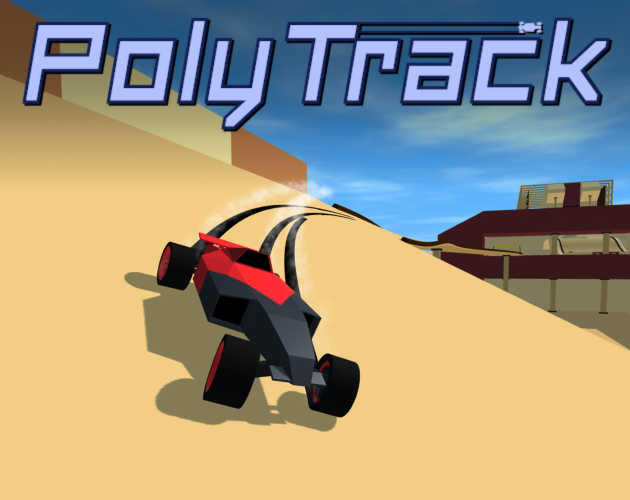
Polytrack is an adrenaline-charged low-poly time-trial racing game heavily inspired by the beloved TrackMania franchise. Behind the wheel of a lightweight, ultra-responsive stunt car, players tear across gravity-defying tracks featuring vertical loops, wall rides, and massive gap jumps.
Every split-second counts: subtle steering angles, smooth apex entries, and clean landings on banked ramps are the key to shaving milliseconds off your personal bests and climbing the global leaderboard.
Beyond its challenging official tracks, Polytrack features a comprehensive built-in track editor, allowing players to construct, test, and share their own wild stunt courses with custom road pieces, jumps, and boost gates.
How to play Polytrack
- Drive your stunt car using WASD or Arrow Keys, accelerating hard on straights and drifting into sharp apexes.
- Tackle extreme stunt architecture including vertical loops, banked wall rides, boost accelerators, and gap jumps.
- Pass checkpoint gates cleanly; hit R at any moment to instantly restart and attempt a faster qualifying lap.
- Launch the Track Editor to snap together custom roadways, elevation changes, hazards, and stunt loops.
Tips for winning and high scores
- Gentle steering preserves momentum; aggressive over-steering scrubs tires and bleeds critical straight-line speed.
- Orient your vehicle parallel to the landing surface while airborne to maintain forward momentum upon touchdown.
- Study top leaderboard ghost replays to discover hidden racing lines, shortcut jumps, and optimal drift initiation points.
- Hit boost acceleration pads squarely dead-center to avoid bouncing into track guardrails at hypersonic speeds.
Physics Simulation & Chromebook Performance
Under the hood, Polytrack uses a real-time browser physics engine to calculate wheel traction, suspension travel, gravity, and angular momentum on every frame. Because it compiles directly to HTML5 Canvas and WebGL 2.0, the game taps into integrated GPU hardware acceleration on managed school Chromebooks and laptops—delivering responsive 60 FPS steering with minimal memory overhead over school Wi-Fi networks.
Frequently asked questions
Is Polytrack free to play?
Yes, Polytrack is 100% free to play directly in your web browser on Blooket1 with no downloads, plugins, or sign-ups required.
Does Polytrack run well on school Chromebooks?
Yes! It uses hardware-accelerated HTML5 and WebGL rendering designed to run smoothly at 60 FPS on managed school Chromebooks, Windows laptops, MacBooks, and tablets.
Is my game progress saved automatically?
Yes, your high scores, unlocked levels, and settings are saved automatically in your browser's local storage so you can pick up right where you left off.
How do I play if my school blocks this page?
Click the Stealth mode button in the top navigation bar to disguise your browser tab as Google Docs, Google Drive, or Classroom, launch Polytrack inside an about:blank tab, or switch to one of our official alternate links like blooket1.pages.dev or educational.blooket1.com. You can also check our Guides & Tier Lists for more tips.