





Traffic Racer: High-Speed 3D Highway Speed Simulation
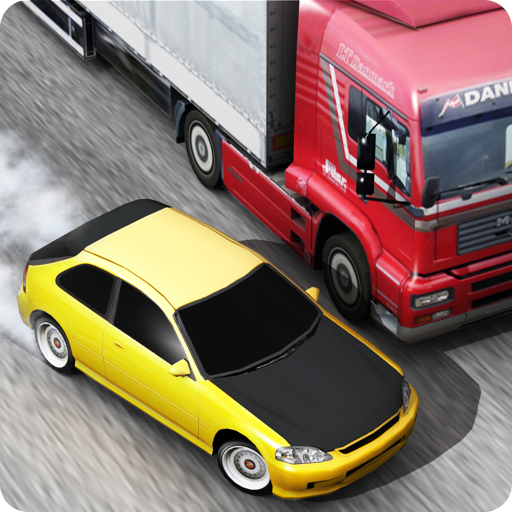
Traffic Racer is the landmark endless 3D highway racing game developed by Soner Kara (SKGames) that defined the endless highway racing genre. Get behind the wheel of detailed motor vehicles and blaze through dense commuter traffic across picturesque highways, snowy roads, deserts, and rainy cities at night.
High-risk driving earns high rewards: driving faster than 100 km/h earns bonus cash, while executing heart-stopping near-miss overtakes within inches of civilian sedans, buses, and semi-trucks multiplies your score. In Two-Way traffic mode, driving on the wrong side of the road yields astronomical payout multipliers.
Earn prize money to unlock and fully customize over 35 unique vehicles—from economy hatchbacks and rugged SUVs to roaring muscle cars and exotic mid-engine supercars—upgrading top speed, acceleration, braking, and handling.
How to play Traffic Racer
- Use W or Up Arrow to accelerate, and S or Down Arrow to brake and decelerate.
- Steer smoothly between lanes using A and D or Left and Right Arrow keys.
- Perform close-call overtakes at speeds above 100 km/h to earn bonus points and cash multipliers.
- In Two-Way mode, drive in the opposite oncoming traffic lanes to double your continuous score generation.
Tips for winning and high scores
- Maintain speed above 100 km/h: overtaking cars below 100 km/h yields no close-call bonus points or cash.
- Tap brakes momentarily to adjust positioning rather than swerving violently across multi-lane highways.
- In Two-Way traffic, stay near the dashed center dividing line so you can dip back into your safe lane when trucks approach.
- Upgrade brakes and handling first; stopping power and agile steering are far more useful than raw straight-line speed.
Physics Simulation & Chromebook Performance
Under the hood, Traffic Racer uses a real-time browser physics engine to calculate wheel traction, suspension travel, gravity, and angular momentum on every frame. Because it compiles directly to HTML5 Canvas and WebGL 2.0, the game taps into integrated GPU hardware acceleration on managed school Chromebooks and laptops—delivering responsive 60 FPS steering with minimal memory overhead over school Wi-Fi networks.
Frequently asked questions
Is Traffic Racer free to play?
Yes, Traffic Racer is 100% free to play directly in your web browser on Blooket1 with no downloads, plugins, or sign-ups required.
Does Traffic Racer run well on school Chromebooks?
Yes! It uses hardware-accelerated HTML5 and WebGL rendering designed to run smoothly at 60 FPS on managed school Chromebooks, Windows laptops, MacBooks, and tablets.
Is my game progress saved automatically?
Yes, your high scores, unlocked levels, and settings are saved automatically in your browser's local storage so you can pick up right where you left off.
How do I play if my school blocks this page?
Click the Stealth mode button in the top navigation bar to disguise your browser tab as Google Docs, Google Drive, or Classroom, launch Traffic Racer inside an about:blank tab, or switch to one of our official alternate links like blooket1.pages.dev or educational.blooket1.com. You can also check our Guides & Tier Lists for more tips.