

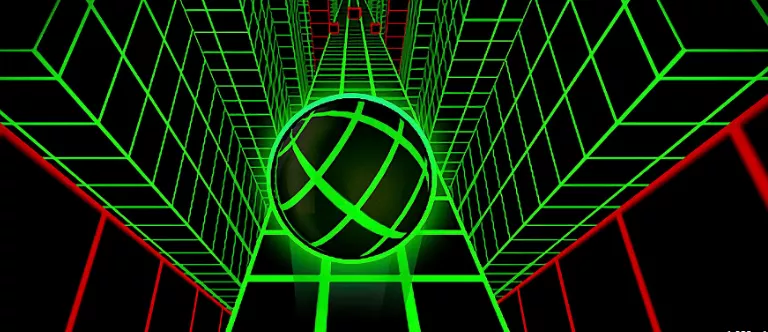







Ice Dodo: Minimalist 3D Reflex Platformer
Ice Dodo is a cult-classic minimalist 3D obstacle course game created by Onionfist. Controlling a delightfully swift dodo sliding at top speed across slippery floating ice platforms, players must weave through intricate obstacle gauntlets without plummeting into the abyss.
Every level is a compact, high-intensity reflex challenge: time precision jumps across yawning gaps, duck underneath low-hanging ice pillars, and navigate narrow zigzag pathways that demand split-second steering.
Featuring dozens of custom player-designed courses, buttery smooth 60 FPS performance, and an instantaneous respawn system, Ice Dodo is the ultimate pure speedrunner platformer.
How to play Ice Dodo
- Use A and D or Left and Right Arrow keys to steer your sliding dodo across the ice.
- Press Spacebar or W / Up Arrow to jump across gaps and leap over ice blockades.
- Reach the checkered portal at the end of each ice course to advance to the next challenge.
- Press R at any moment to instantly restart the current stage.
Tips for winning and high scores
- Slippery ice physics: your dodo maintains sliding momentum, so begin your turns earlier than you would on solid ground.
- Use short, tapping keystrokes rather than holding directional keys to avoid spinning off narrow ledges.
- Time your jumps off the very edge of platforms to maximize your flight distance across wide chasms.
- Memorize stage layouts: instantaneous restarts mean you can quickly build up flawless muscle memory.
3D WebGL Rendering & Chromebook Performance
Ice Dodo relies on hardware-accelerated HTML5 and WebGL 3D graphics to keep high-speed obstacles and camera movement locked at a smooth 60 frames per second. Fast visual reaction time and spatial judgment matter at higher speeds, so the browser build is optimized to minimize input lag and RAM consumption on school Chromebooks, laptops, and classroom Wi-Fi connections.
3D WebGL Rendering & Chromebook Performance
Ice Dodo relies on hardware-accelerated HTML5 and WebGL 3D graphics to keep high-speed obstacles and camera movement locked at a smooth 60 frames per second. Fast visual reaction time and spatial judgment matter at higher speeds, so the browser build is optimized to minimize input lag and RAM consumption on school Chromebooks, laptops, and classroom Wi-Fi connections.
Frequently asked questions
Is Ice Dodo free to play?
Yes, Ice Dodo is 100% free to play directly in your web browser on Blooket1 with no downloads, plugins, or sign-ups required.
Does Ice Dodo run well on school Chromebooks?
Yes! It uses hardware-accelerated HTML5 and WebGL rendering designed to run smoothly at 60 FPS on managed school Chromebooks, Windows laptops, MacBooks, and tablets.
Is my game progress saved automatically?
Yes, your high scores, unlocked levels, and settings are saved automatically in your browser's local storage so you can pick up right where you left off.
How do I play if my school blocks this page?
Click the Stealth mode button in the top navigation bar to disguise your browser tab as Google Docs, Google Drive, or Classroom, launch Ice Dodo inside an about:blank tab, or switch to one of our official alternate links like blooket1.pages.dev or educational.blooket1.com. You can also check our Guides & Tier Lists for more tips.