

Space Waves: High-Speed Neon Rhythm Waver
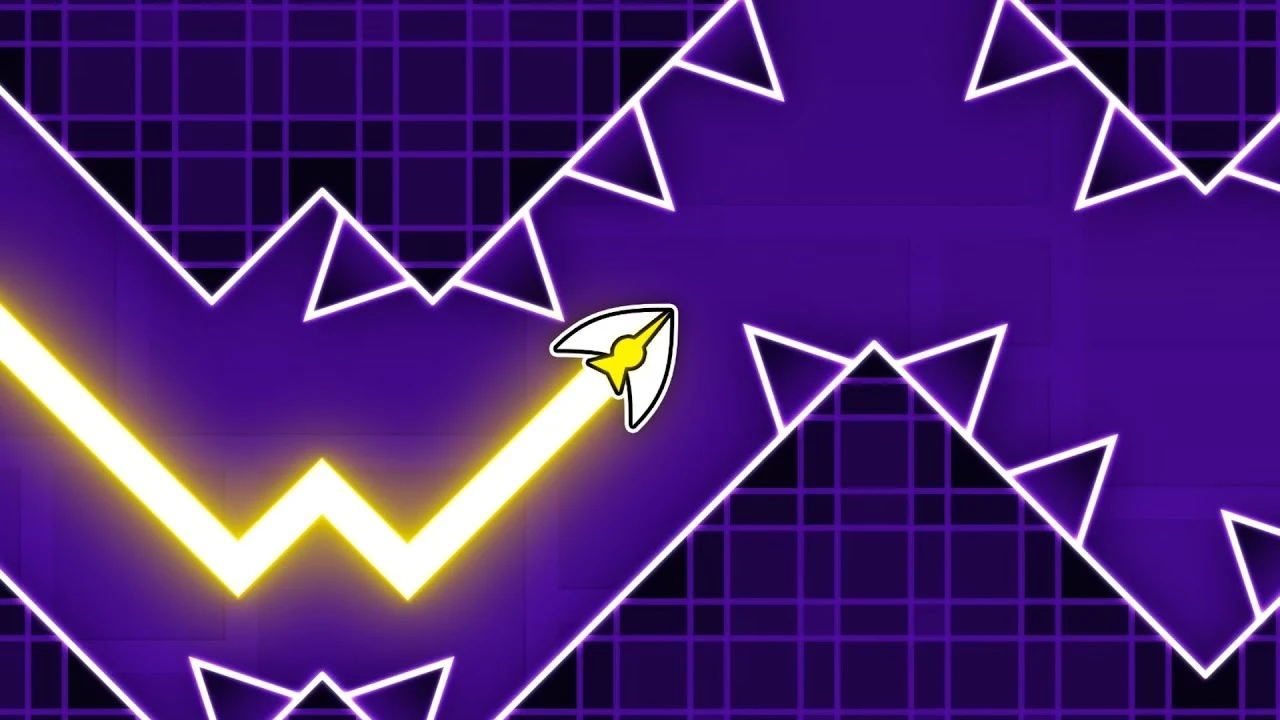
Space Waves is a blisteringly fast rhythm-action reflex game developed by do.Games, heavily inspired by the beloved Wave vehicle mode from Geometry Dash. Players control a glowing neon arrow darting diagonally through complex geometric corridors.
The mechanics demand absolute precision: holding the button makes your wave dart diagonally upward at a 45-degree angle, while releasing it causes it to dive diagonally downward. Navigate narrow zigzag slots, avoid spinning buzzsaws, and squeeze through microscopic openings.
With over 30 distinct levels spanning multiple difficulty ratings—from relaxing beginner tunnels to nearly impossible demon gauntlets—Space Waves delivers pulse-pounding rhythm gameplay set to energetic electronic tracks.
How to play Space Waves
- Press and hold the Left Mouse Button, Spacebar, or Up Arrow to steer your wave diagonally upward.
- Release the button or key to allow your wave to dive diagonally downward.
- Weave cleanly through narrow gaps between floating spikes, moving barriers, and hazard walls.
- Reach the end of the neon corridor without touching any obstacles to complete the stage.
Tips for winning and high scores
- Use quick, rhythmic micro-taps rather than long presses to maintain a flat, level trajectory through tight horizontal corridors.
- Watch the layout two obstacles ahead of your arrow so you don't get trapped by sudden shifts in wall height.
- Listen to the music: changes in the techno beat often coincide with required directional switches.
- Start on the lower-difficulty green stages to build up muscle memory before tackling the high-speed demon tracks.
3D WebGL Rendering & Chromebook Performance
Space Waves relies on hardware-accelerated HTML5 and WebGL 3D graphics to keep high-speed obstacles and camera movement locked at a smooth 60 frames per second. Fast visual reaction time and spatial judgment matter at higher speeds, so the browser build is optimized to minimize input lag and RAM consumption on school Chromebooks, laptops, and classroom Wi-Fi connections.
Frequently asked questions
Is Space Waves free to play?
Yes, Space Waves is 100% free to play directly in your web browser on Blooket1 with no downloads, plugins, or sign-ups required.
Does Space Waves run well on school Chromebooks?
Yes! It uses hardware-accelerated HTML5 and WebGL rendering designed to run smoothly at 60 FPS on managed school Chromebooks, Windows laptops, MacBooks, and tablets.
Is my game progress saved automatically?
Yes, your high scores, unlocked levels, and settings are saved automatically in your browser's local storage so you can pick up right where you left off.
How do I play if my school blocks this page?
Click the Stealth mode button in the top navigation bar to disguise your browser tab as Google Docs, Google Drive, or Classroom, launch Space Waves inside an about:blank tab, or switch to one of our official alternate links like blooket1.pages.dev or educational.blooket1.com. You can also check our Guides & Tier Lists for more tips.