
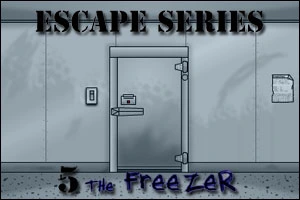






Escape the Freezer: Sub-Zero Room Escape Challenge
Escape the Freezer is a tense, sub-zero point-and-click puzzle adventure developed by Afro-Ninja. Trapped inside a restaurant's industrial walk-in freezer with the heavy security latch locked from the outside, you face a race against hypothermia.
Search towering stacks of frozen food boxes, inspect ice-encrusted evaporator cooling fans, examine hanging meat hooks, and search industrial storage shelving. Find discarded maintenance tools, defrosting chemicals, and electrical components.
Melt thick blocks of ice to free frozen keys, rewire temperature control panels, bypass the safety lock mechanism, and force open the heavy steel freezer door before frostbite sets in.
How to play Escape the Freezer
- Click around the walk-in freezer to inspect industrial shelves, refrigeration units, and frozen crates.
- Collect inventory tools like meat hooks, flashlights, ice picks, and heating elements.
- Find ways to thaw out frozen locks and retrieve keys trapped inside solid ice blocks.
- Override the emergency door latch or pick the padlock to escape the freezing cold.
Tips for winning and high scores
- Thaw frozen keys: look for warm machinery parts or electrical heating units to melt blocks of ice.
- Check the refrigeration fan vents: maintenance technicians often hide spare emergency keys near the motor.
- Use meat hooks and long tools to retrieve items that have fallen behind heavy stainless steel shelving.
- Inspect ice block labels and packaging for printed expiration dates that might serve as keypad codes.
Browser Architecture & Chromebook Compatibility
Escape The Freezer challenges players with multi-step logic puzzles, observation, and sequential problem-solving rather than twitch reflexes. Built on lightweight HTML5 Canvas technology, it loads almost instantly over school Wi-Fi and uses very little system memory—making it ideal for quiet, lag-free play on managed school Chromebooks and laptops.
Frequently asked questions
Is Escape The Freezer free to play?
Yes, Escape The Freezer is 100% free to play directly in your web browser on Blooket1 with no downloads, plugins, or sign-ups required.
Does Escape The Freezer run well on school Chromebooks?
Yes! It uses hardware-accelerated HTML5 and WebGL rendering designed to run smoothly at 60 FPS on managed school Chromebooks, Windows laptops, MacBooks, and tablets.
Is my game progress saved automatically?
Yes, your high scores, unlocked levels, and settings are saved automatically in your browser's local storage so you can pick up right where you left off.
How do I play if my school blocks this page?
Click the Stealth mode button in the top navigation bar to disguise your browser tab as Google Docs, Google Drive, or Classroom, launch Escape The Freezer inside an about:blank tab, or switch to one of our official alternate links like blooket1.pages.dev or educational.blooket1.com. You can also check our Guides & Tier Lists for more tips.