




Bottle Flip 3D: The Viral Household Flipping Sensation
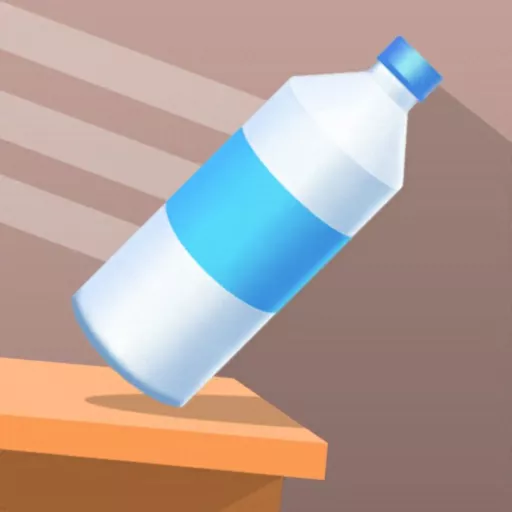
Bottle Flip 3D brings the worldwide viral water bottle flipping challenge into an addictive, physics-based obstacle adventure developed by Tastypill. Your objective is to flip a half-filled plastic water bottle through vibrant household rooms without letting it touch the floor.
Hop and flip across everyday home furnishings: land on coffee tables, bounce off springy armchairs, slide along kitchen counters, and balance on swinging chandeliers. Time double flips in mid-air to clear wide gaps between platforms.
Master the physics of rotational inertia and surface friction across hundreds of creative levels, earning gems to unlock dozens of fun bottle designs—from soda bottles and champagne to milk cartons and lava lamps.
How to play Bottle Flip 3D
- Click the mouse or tap the screen to initiate a forward bottle flip.
- Tap again while airborne to perform an athletic double-flip for extra distance and rotation.
- Land the bottle squarely upright on furniture, shelves, and appliances.
- Reach the checkered winner's podium at the end of the room to complete the stage.
Tips for winning and high scores
- Double flip timing: save your second tap until your bottle is near the apex of its arc to maximize forward distance.
- Watch out for fragile objects: landing on toppling books or spinning clocks requires an immediate follow-up flip.
- Bouncy surfaces like sofas and trampolines provide massive extra height—use single flips off cushions.
- If your bottle begins tilting slightly on landing, physics can occasionally settle it upright—don't jump prematurely!
3D WebGL Rendering & Chromebook Performance
Bottle Flip 3d relies on hardware-accelerated HTML5 and WebGL 3D graphics to keep high-speed obstacles and camera movement locked at a smooth 60 frames per second. Fast visual reaction time and spatial judgment matter at higher speeds, so the browser build is optimized to minimize input lag and RAM consumption on school Chromebooks, laptops, and classroom Wi-Fi connections.
Frequently asked questions
Is Bottle Flip 3d free to play?
Yes, Bottle Flip 3d is 100% free to play directly in your web browser on Blooket1 with no downloads, plugins, or sign-ups required.
Does Bottle Flip 3d run well on school Chromebooks?
Yes! It uses hardware-accelerated HTML5 and WebGL rendering designed to run smoothly at 60 FPS on managed school Chromebooks, Windows laptops, MacBooks, and tablets.
Is my game progress saved automatically?
Yes, your high scores, unlocked levels, and settings are saved automatically in your browser's local storage so you can pick up right where you left off.
How do I play if my school blocks this page?
Click the Stealth mode button in the top navigation bar to disguise your browser tab as Google Docs, Google Drive, or Classroom, launch Bottle Flip 3d inside an about:blank tab, or switch to one of our official alternate links like blooket1.pages.dev or educational.blooket1.com. You can also check our Guides & Tier Lists for more tips.