
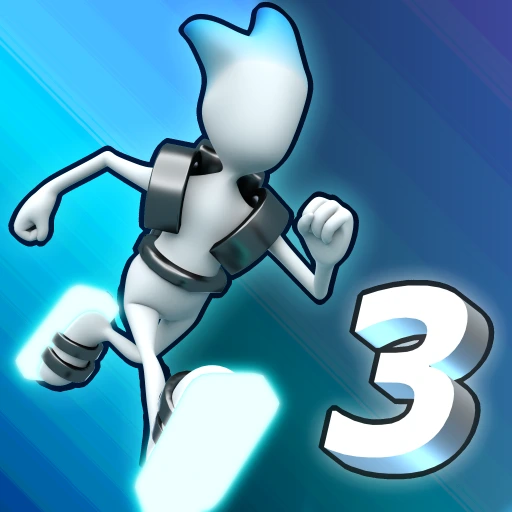


G-Switch 3: Gravity-Defying Multiplayer Runner
G-Switch 3 is the acclaimed third installment in Vasco Freitas' hit gravity-flipping runner franchise. Running at breakneck speed through futuristic cybernetic corridors, you must flip gravity upside down to run on ceilings and walls while evading deadly obstacles and bottomless pits.
Introducing new gameplay mechanics—including gravity-inverting orbs, speed boost pads, and a mind-bending clone mechanic that splits your runner into two simultaneous characters—G-Switch 3 tests your multitasking reflexes to the maximum.
Beyond its thrilling single-player campaign and endless survival mode, G-Switch 3 features legendary local multiplayer support for up to 8 players on a single keyboard, making it the ultimate party game for friends and classrooms.
How to play G-Switch 3
- Press your assigned key (Left Click or Spacebar for Player 1) to invert gravity and flip to the opposite surface.
- Time your gravity flips so you land cleanly on running tracks and avoid falling into empty space.
- Navigate multi-runner clone sequences where one key controls multiple runners on separate tracks simultaneously.
- Be the last runner surviving in multiplayer or reach the portal in single-player levels to progress.
Tips for winning and high scores
- Gravity can only be inverted while your runner's feet are touching a surface—you cannot flip mid-air!
- Anticipate oncoming walls and saw blades early; flipping right as you approach an obstacle is often too late.
- In clone sequences, keep your eyes on the leading runner first to ensure they clear upcoming lethal hazards.
- Use gravity flips proactively to collect speed boosters and avoid slowing down on uneven slopes.
Physics Engine & Chromebook Performance
G Switch 3 pairs unpredictable 2D ragdoll and projectile physics with instant keyboard response, making angle calculation and timing the key to winning every match. Compiled for HTML5 Canvas and WebGL, it runs at a locked 60 FPS on managed school Chromebooks and laptops—even during chaotic two-player split-keyboard matches.
Frequently asked questions
Is G Switch 3 free to play?
Yes, G Switch 3 is 100% free to play directly in your web browser on Blooket1 with no downloads, plugins, or sign-ups required.
Does G Switch 3 run well on school Chromebooks?
Yes! It uses hardware-accelerated HTML5 and WebGL rendering designed to run smoothly at 60 FPS on managed school Chromebooks, Windows laptops, MacBooks, and tablets.
Is my game progress saved automatically?
Yes, your high scores, unlocked levels, and settings are saved automatically in your browser's local storage so you can pick up right where you left off.
How do I play if my school blocks this page?
Click the Stealth mode button in the top navigation bar to disguise your browser tab as Google Docs, Google Drive, or Classroom, launch G Switch 3 inside an about:blank tab, or switch to one of our official alternate links like blooket1.pages.dev or educational.blooket1.com. You can also check our Guides & Tier Lists for more tips.